|
||||||
|
||||||
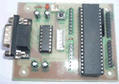
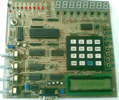
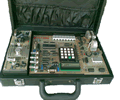
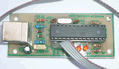
| Microcontroller Kits Simple
Mikrokontroller 89s51 Trainer All Item Include
|
M-IDE Studio for MCS-51
The M-IDE Studio for MCS-51 is the primary means for
performing compiling for the MCS-51 devices. The M-IDE Studio for MCS-51
has a comprehensive set of features that allows you to edit, compiling,
and debugging file.
Figure 1 - M-IDE Studio for MCS-51 You will notice that most of the toolbar buttons and menu options are disabled. This is because a file has not been made. To make a file, do the following:
1. New File
Figure 2. A Blank New File 2. Writing a Program
Figure 2. Writing a Program 3. Save As
Figure 3. Save as dialog After saving the program you will see the program with colour, this indicates that the mnemonic is right reseved, as shown in figure 4
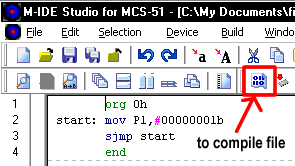
Figure 4. Mnemonic instruction 4. Compiling To load the file into your device, you need to comile the file *.ASM tobe HEX file. To compiling file *.ASM into *.HEX you can click shortcut as shown in figure 4. 5. Troubleshooting Error
Figure 5. No massage error 6. File error example
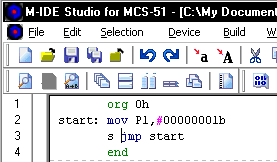
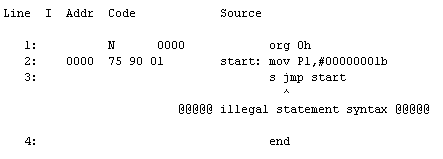
Figure 6. File with error
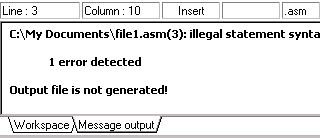
Figure 7. Error massage output 7. LST File
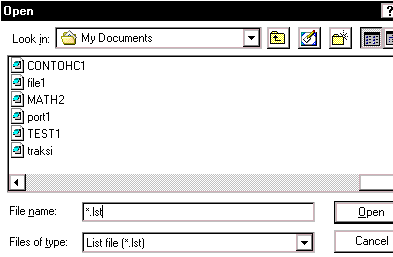
Figure 8. Open LST file dialog
Figure 9. LST file Comments, questions and discussion about this topic
|
|
||||
    |
||||||