|
Product
Kit Trainer
Tutorial
MCS51
Tutorial
AVR
Tutorial
ARMSTM32
Link
Download Software
Galery
Pelatihan
Best Seller Trainer
Super
MCS51 Trainer
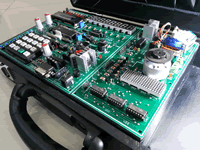
Standart
MCS51 Trainer

Super
AVR Trainer
Standart
AVR Trainer
Programmer
USBASP 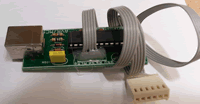
Standart
ARM Trainer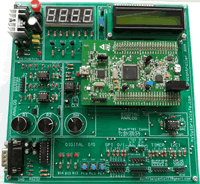 |
|
9.2. Digital Clock ( :SS)
The next example implements interrupt Timer 0 as digital clock,
in this example will display second at 8 x7 segmen module ( fist and
second 7 segmen ).
Step 1st
Build the circuit as shown in figure 5.2.1. As you seen on figure 5.2.1.
P0 and P2 is connected to 8 x 7 Segmen. Remember, that all we want to
do with this lesson displays digital clock as second part only
Figure 5.2.2. Digital clock with timer 0 interrupt
Step 2nd
In this step, you must tipe the assembly program to make your Timer
get action, we assume that you have already known the editor, we used
MIDE-51 to edit the program. ( Download File
: exp522.zip )
Note that in this mode, with a 12 MHz crystal frequency,
the timer overflows every 65,536 microseconds.
In this experiment, to generate interruption every 1000 micro second,
then :
65536 - 50000 = 15536 d or 3CB0h ( TL0 = B0h dan TH0 = 3Ch )
Interruption will come out every 50000 x 1 microsecond = 0.05 second.
R0 is implemented as a software counter, Register R0 is incremented
every Timer 0 overflows. If Register R7 detected with value 20 then
data will be incremented
second     equ 30h
secondTens equ 31h
secondOnes equ 32h
counter20  equ 33h
;
       Org 0h
       sjmp Start
       Org 0bh
       Ljmp Interrupt_Timer0
;
Start: mov P3,#11111111b
       mov second,#0
       call InitTimer
;
Forever:
       call ClockDisplay
       sjmp Forever ;
;
Interrupt_Timer0:
       mov tl0,#0b0h
       mov th0,#03ch
       djnz Counter20, EndInterrupt
       mov Counter20,#20
       call DoClock
EndInterrupt:
       reti
;
DoClock:
       inc second
       mov A,second
       cjne A,#60,Update
       mov second,#0
Update:mov A,second
       mov B,#10
       DIV AB
       mov SecondTens,A
       mov SecondOnes,B
       ret
;
ClockDisplay:
       Setb P2.7
       Mov DPTR,#Decoder7Segmen
       mov A,secondOnes
       Movc A,@A+DPTR
       Mov P0,A
       Clr P2.7
       call delay
;
       Setb P2.7
       Mov DPTR,#Decoder7Segmen
       mov A,secondTens
       Movc A,@A+DPTR
       Mov P0,A
       Clr P2.6
       call delay
       ret
;
InitTimer:
       mov TMOD,#00000001b
       mov tl0,#0b0h
       mov th0,#03ch
       setb ET0           ;Enable Timer 0 Interrupt
       setb EA            ;Master Interrupt Enable
       setb TR0           ;Clock start running
       ret
;
;=============================================
;subroutine delay created to rise delay time
;=============================================
delay: mov R1,#255
del1:  mov R2,#255
del2:  djnz R2,del2
       djnz R1,del1
       ret
;========================================
; L O O K U P T A B L E
; Decode to Seven Segmen -> g f e d c b a
;========================================
Decoder7Segmen:
DB 11000000b,11111001b,10100100b,10110000b,10011001b
DB 10010010b,10000010b,11111000b,10000000b,10010000b
;
      End
Step 3rd
Safe your assembly program above, and name it with int2.asm (for example)
Compile the program that you have been save by using MIDE-51, see the
software instruction.
Step 4th
Download your hex file ( int2.hex ) into the microcontroller
by using Microcontroller ATMEL ISP software, see the instruction.After
download this hex file you'll see the action of Interruption( of course
if your cable connection and your program are corrected ).
NEXT
|