|
Product
Kit Trainer
Tutorial
MCS51
Tutorial
AVR
Tutorial
ARMSTM32
Link
Download Software
Galery
Pelatihan
Best Seller Trainer
Super
MCS51 Trainer
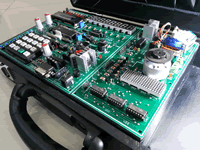
Standart
MCS51 Trainer

Super
AVR Trainer
Standart
AVR Trainer
Programmer
USBASP 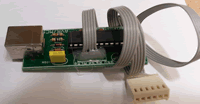
Standart
ARM Trainer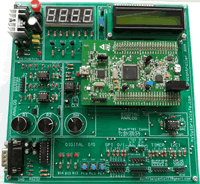 |
|
4.2. Writing a word by using look up table
The difference about this lesson with previus is how
the data come from. By using look up table dinamically we can cange
the caracter more easily.
Step 1st
Build the circuit as shown in figure 2.11. As you seen on figure 2.11.
P0.0 trough P0.7 is connected to DB0 - DB7,and P2.0- P2.1. is connected
to RS and EN each. Remember, that all we want to do with this lesson
is write " Hello World ", in the first line of LCD Character
Step 2nd
In this step, you must tipe the assembly program to make your LCD Character
shown the word, we assume that you have already known the editor, we
used MIDE-51 to edit the program.
       org 0h
       call init_LCD
start: call write_char
       sjmp start
;
write_char:
       mov dptr,#word1 ;DPTR = [ address word1 ]
       mov r3,#16      ;R3=16,number character to be display
       mov r1,#80h     ;R1=80h,address DDRAM start position
       acall write_inst
;
write1:clr a           ; A = 0
       movc a,@a+dptr  ; A = [A+ DPTR]
       mov r1,A        ; R1 = A
       inc dptr        ; DPTR = DPTR +1
       acall write_data;
       djnz r3,write1  ; R3 = R3-1,
       ret
;
Init_lcd:
    mov r1,#00000001b ;Display clear
    acall write_inst  ;
    mov r1,#00111000b ;Function set,
                      ;Data 8 bit,2 line font 5x7
    acall write_inst  ;
    mov r1,#00001100b ;Display on,
                      ;cursor off,cursor blink off
    acall write_inst
    mov r1,#00000110b ;Entry mode, Set increment
    acall write_inst
    ret
;
Write_inst:
    clr P2.0  ; RS = P2.0 = 0, write mode instruction
    mov P0,R1 ; D7 s/d D0 = P0 = R1
    setb P2.1 ; EN = 1 = P2.1
    call delay; call delay time
    clr P2.1  ; EN = 0 = P2.1
    ret
;
Write_data:
    setb P2.0 ; RS = P2.0 = 1, write mode data
    mov P0,R1 ; D7 s/d D0 = P0 = R1
    setb P2.1 ; EN = 1 = P2.1
    call delay; call delay time
    clr p2.1  ; EN = 0 = P2.1
    ret
;
delay: mov R0,#0
delay1:mov R7,#0fh
       djnz R7,$
       djnz R0,delay1
       ret
;
word1: DB '  Welcome Home  '; here is the data to be look up
;
end
Step 3rd
Safe your assembly program above, and name it with lcd3.asm (for example)
Compile the program that you have been save by using MIDE-51, see the
software instruction.
Step 4th
Download your hex file ( lcd3.hex ) into the microcontroller
by using Microcontroller ATMEL ISP software, see the instruction.After
download this hex file you'll see the action of LCD Character 2 x16
( of course if your cable connection and your program are corrected
).
NEXT
|