| Pelatihan
Mikrokontroller
Microcontroller Kits
Programmer
and Target 89s51
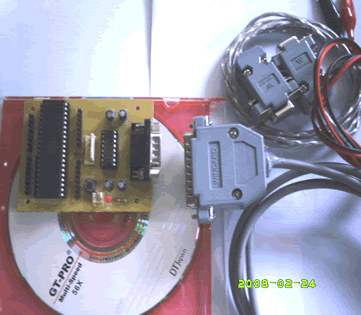
Simple
Mikrokontroller 89s51 Trainer
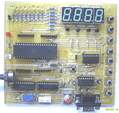
Standart
Mikrokontroller 89s51 Trainer
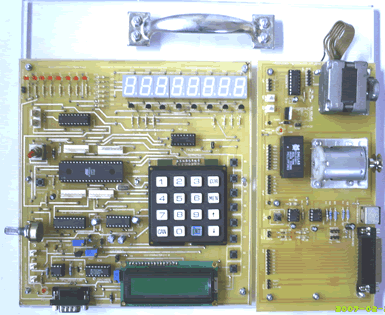
Super Mikrokontroller
Trainer 89s51
|
|
BACK NEXT
2.1.2. More LED Blink
Congratulation, you have succeded with make a LED blink. Now lets improve
your skill by making more LED blink ( 8 LED ). In this lesson, we will
make four LED blink change reversed.
Step 1st
Build the circuit as shown in figure 2.1.2. As you seen on figure 2.1.2.
P0.0 trough P0.7 is connected to LED's katode each. Remember, that all
we want to do with this lesson is make four LED blink change reversed.

Figure 2.1.2. Diagram Skematik LED Blink
Step 2nd
In this step, you must tipe the assembly program to make four LED blink,
we assume that you have already known the editor, we used MIDE-51 to
edit the program. ( Download File : exp212.zip
)
       org 0h
start: mov P0,#11110000b; Turn on LED on P0.0 - P0.3
       call delay       ; call delay time
       mov P0,#00001111b; Turn on LED on P3.4 - P0.7
       call delay; call delay time
       sjmp start; loooooop forever to start
;=============================================
;subroutine delay created to rise delay time
;=============================================
delay: mov R1,#255
del1:  mov R2,#255
del2:  djnz R2,del2
       djnz R1,del1
       ret
end
Step 3rd
Safe your assembly program above, and name it with LED2.asm (for
example) Compile the program that you have been save by using MIDE-51,
see the software instruction.
Step 4th
Download your hex file ( LED2.hex ) into the microcontroller
by using Microcontroller ATMEL ISP software, see the instruction.After
download this hex file you'll see the action of the LED ( of course
if your cable connection and your program are corrected ).
Comments,
questions and discussion about this topic
BACK NEXT
|
|
|
|