| 
Microcontroller Kits
Programmer
and Target 89s51
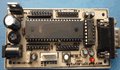
Simple
Mikrokontroller 89s51 Trainer
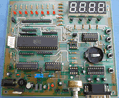
Standart
Mikrokontroller 89s51 Trainer
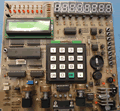
Super Mikrokontroller
Trainer 89s51
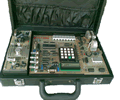
+
All Item Include
Programmer
Via USB
|
|
NEXT
4. Standard Serial Interface
The serial
port is full duplex, meaning it can transmit and receive simultaneously.
It is also receive-buffered, meaning it can commence reception of a
second byte before a previously received byte has been read from the
register. (However, if the first byte still hasn’t been read by
the time reception of the second byte is complete, one of the bytes
will be lost.) The serial port receive and transmit registers are both
accessed at Special Function Register SBUF. Writing to SBUF loads the
transmit register, and reading SBUF accesses a physically separate receive
register.
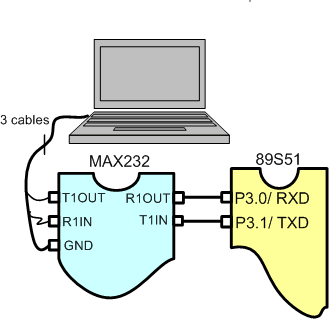
Figure 4.1. Standard serial communication
The serial port can operate in 4 modes:
Mode 0:
Serial data enters and exits through RxD. TxD outputs the shift clock.
8 bits are transmitted/received (LSB first). The baud rate is fixed at
1/12 the oscillator frequency.
Mode 1:
10 bits are transmitted (through TxD) or received (through RxD): a start
bit (0), 8 data bits (LSB first), and a stop bit (1). On receive, the
stop bit goes into RB8 in Special Function Register SCON. The baud rate
is variable.
Mode 2:
11 bits are transmitted (through TxD) or received (through RxD): start
bit (0), 8 data bits (LSB first), a programmable 9th data bit, and a stop
bit (1). On Transmit, the 9th data bit (TB8 in SCON) can be assigned the
value of 0 or 1. Or, for example, the parity bit (P, in the PSW) could
be moved into TB8. On receive, the 9th data bit goes into RB8 in Special
Function Register SCON, while the stop bit is ignored. The baud rate is
programmable to either 1/32 or 1/64 the oscillator frequency.
Mode 3:
11 bits are transmitted (through TxD) or received (through RxD): a start
bit (0), 8 data bits (LSB first), a programmable 9th data bit, and a stop
bit (1). In fact,
Mode 3 is the same as Mode 2 in all respects except baud rate. The baud
rate in Mode 3 is variable.
In all four modes, transmission is initiated by any instruction that uses
SBUF as a destination register. Reception is initiated in Mode 0 by the
condition RI = 0 and REN = 1. Reception is initiated in the other modes
by the incoming start bit if REN = 1.
Serial Port Control Register
The serial port control and status register is the Special Function Register
SCON, shown in Figure 11. This register contains not only the mode selection
bits, but also the 9th data bit for transmit and receive (TB8 and RB8),
and the serial port interrupt bits (TI and RI).
Baud Rates
The baud rate in Mode 0 is fixed: Mode 0 Baud Rate = Oscillator Frequency
/ 12. The baud rate in Mode 2 depends on the value of bit SMOD in Special
Function Register PCON. If SMOD = 0 (which is the value on reset), the
baud rate is 1/64 the oscillator frequency. If SMOD = 1, the baud rate
is 1/32 the oscillator frequency. Baud Rate mode 2:
 , ,
In the 80C51, the baud rates in Modes 1 and 3 are determined by the Timer
1 overflow rate.
Using Timer 1 to Generate Baud Rates
When Timer 1 is used as the baud rate generator, the baud rates in Modes
1 and 3 are determined by the Timer 1 overflow rate and the value of SMOD
as follows: Baud Rate Mode 1,3

The Timer 1 interrupt should be disabled in this application.
The Timer itself can be configured for either “timer” or “counter”
operation, and in any of its 3 running modes. In the most typical applications,
it is configured for “timer” operation, in the auto-reload
mode (high nibble of TMOD = 0010B). In that case the baud rate is given
by the formula: Baud Rate Mode 1,3

One can achieve very low baud rates with Timer 1 by
leaving the Timer 1 interrupt enabled, and configuring the Timer to
run as a 16-bit timer (high nibble of TMOD = 0001B), and using the Timer
1 interrupt to do a 16-bit software reload. Figure 12 lists various
commonly used baud rates and how they can be obtained from Timer 1.
Comments,
questions and discussion about this topic
NEXT
|
|
|
|