| Pelatihan
Mikrokontroller
Microcontroller Kits
Programmer
and Target 89s51
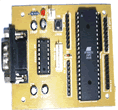
Simple
Mikrokontroller 89s51 Trainer
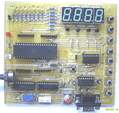
Standart
Mikrokontroller 89s51 Trainer
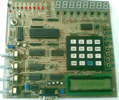
Super Mikrokontroller
Trainer 89s51
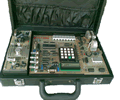
All Kits
+
Programmer
Serial
|
|
BACK
NEXT
2.5.2. Displaying data ADC 0804 in 8x7 Segmen
as a Decimal
In this lesson will be learn how to display data ADC on 8 x
7 segmen, for a simple task, we assume ADC have input ranges 0 - 5 volt,
and then will display data as desimal that must be 3 digit 0 - 255,
and each digit would be placed on 3rd, 2nd and 1st 7 segmen.
Figure 2.5.2. Connecting ADC and display to 7 segmen
Step 1st
Build the circuit as shown in figure 2.5.2. As you seen on figure 2.5.2.
P3.0 trough P3.7 is connected to DB0 - DB7 ADC0804, and P2.0- P2.7.
is connected to transistor driver, and P3.0 trough P3.7. is connected
to 7 Segmen. Remember, that all we want to do with this lesson is write
data ADC, to 8 x 7 Segmen.
Step 2nd
In this step, you must tipe the assembly program to make your 8 x 7
Segmen shown the data, we assume that you have already known the editor,
we used MIDE-51 to edit the program. ( Download
File asm : exp252.zip, Download Complete
Circuit File : ADC.pdf)
      org 0h
hundreds equ 30h
tens 	 equ 31h
ones     equ 32h
start: call ADC
       call Bin2Dec
       call Display2SevenSegmen
       sjmp start
;
;=================================================
;this subroutine is used to take data from ADC and
;keep to Accumulator
;=================================================
ADC:   mov A,P0
       nop
       nop
       ret
;
;========================================================
;this subroutine is used to convert binary data from ADC
;become decimal 3 digit
;========================================================
Bin2Dec:
       mov b,#100d
       div ab
       mov hundreds,a
       mov a,b
       mov b,#10d
       div ab
       mov tens,a
       mov ones,b
       ret
;===============================================
;this subroutine is used to convert data ADC to
;8 x 7 segmen
;===============================================
Display2SevenSegmen:
       Mov P2,#11111111b
       mov A, Hundreds
       mov DPTR,#Data7segmen
       movc A,@A+DPTR
       mov P0,A
       clr P2.5
       call delay
;
       mov A,tens
       mov DPTR,#Data7segmen
       movc A,@A+DPTR
       setb P1.5
       mov P0,A
       clr P2.6
       call delay
;
       mov A,ones
       mov DPTR,#Data7segmen
       movc A,@A+DPTR
       setb P1.6
       mov P0,A
       clr P2.7
       call delay
       ret
;
delay: mov R0,#0
delay1:mov R2,#0fh
       djnz R2,$
       djnz R0,delay1
       ret
;
Data7segmen:
      db 11000000b,11111001b,10100100b,10110000b,10011001b
      db 10010010b,10000010b,11111000b,10000000b,10010000b
end
Step 3rd
Safe your assembly program above, and name it with adc2.asm (for example)
Compile the program that you have been save by using MIDE-51, see the
software instruction.
Step 4th
Download your hex file into the microcontroller by using
Microcontroller ATMEL ISP software, see the instruction.After download
this hex file you'll see the action of ADC ( of course if your cable
connection and your program are corrected )
Comments,
questions and discussion about this topic
BACK
NEXT
|
|
|
|