|
Pelatihan
Dasar Mikrokontroller
14-15 April 2007
Surabaya
Rp. 300.000
Microcontroller Kits
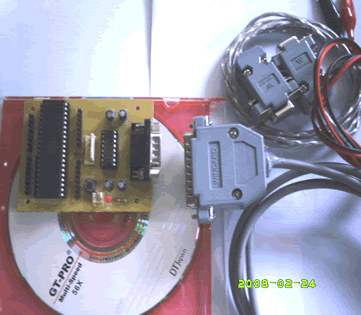
Programmer
and Target 89s51
Rp.100.000
(USD $10)
Simple
Mikrokontroller 89s51 Trainer
Rp, 350.000
(USD $35)
Standart
Mikrokontroller 89s51 Trainer
Rp. 650.000
(USD $65)
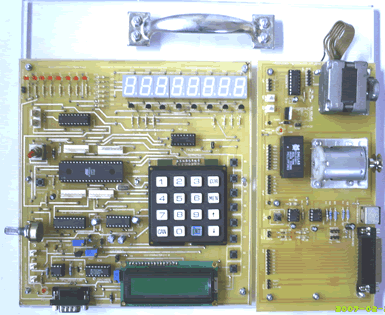
Super
Mikrokontroller Trainer 89s51
Rp.1.250.000
(USD $125)
 |
|
5.2.3. Digital Clock with display LCD Character (HH:MM:SS)
The next example implements interrupt Timer 0 as digital clock,
in this example will display hours,minutes, and seconds at LCD Character
2 x 16 module.
Step 1st
Build the circuit as shown in figure 5.2.3. Remember, that all we want
to do with this lesson displays digital clock with display on LCD Character
2 x 16.
Figure 5.2.3. Digital clock with timer 0 interrupt
Step 2nd
In this step, you must tipe the assembly program to make your Timer
get action, we assume that you have already known the editor, we used
MIDE-51 to edit the program. ( Download File
: exp523.zip )
Note that in this mode, with a 12 MHz crystal frequency,
the timer overflows every 65,536 microseconds.
In this experiment, to generate interruption every 1000 micro second,
then :
65536 - 50000 = 15536 d or 3CB0h ( TL0 = B0h dan TH0 = 3Ch )
Interruption will come out every 50000 x 1 microsecond = 0.05 second.
R0 is implemented as a software counter, Register R0 is incremented every
Timer 0 overflows. If Register R7 detected with value 20 then data will
be incremented
Counter20  equ 70h
second     equ 71h
minute     equ 72h
hour       equ 73h
secondOnes equ 74h
secondTens equ 75h
minuteOnes equ 76h
minuteTens equ 77h
hourOnes   equ 78h
hourTens   equ 79h
;
       org 0h
ljmp start
;=============================
;vektor interrupt TF0 location
;=============================
       org 0bh
       Ljmp timerinterrupt
;
Start: mov counter20,#20
       mov second,#0
       mov minute,#0
       mov hour,#0
       call UpdateDisplay
       mov TMOD,#00000001b
       mov tl0,#0b0h
       mov th0,#03ch
       setb ET0
       setb EA
       setb TR0
       call init_lcd
;
;========================================================
;This subroutine will display Digital Clock as HH:MM:SS
;as you have seen, this subroutine execute every time
;========================================================
scandisplay:
       mov r1,#8ch
       acall write_inst
       mov r1,secondones
       acall write_data
;
       mov r1,#8bh
       acall write_inst
       mov r1,secondtens
       acall write_data
;
       mov r1,#89h
       acall write_inst
       mov r1,minuteones
       acall write_data
;
       mov r1,#88h
       acall write_inst
       mov r1,minutetens
       acall write_data
;
       mov r1,#86h
       acall write_inst
       mov r1,hourones
       acall write_data
;
       mov r1,#85h
       acall write_inst
       mov r1,hourtens
       acall write_data
       sjmp scandisplay
;
Init_lcd:
    mov r1,#00000001b ;Display clear
    acall write_inst  ;
    mov r1,#00111000b ;Function set,
                      ;Data 8 bit,2 line font 5x7
    acall write_inst  ;
    mov r1,#00001100b ;Display on,
                      ;cursor off,cursor blink off
    acall write_inst
    mov r1,#00000110b ;Entry mode, Set increment
    acall write_inst
    ret
;
Write_inst:
    clr P2.0  ; RS = P2.0 = 0, write mode instruction
    mov P0,R1 ; D7 s/d D0 = P0 = R1
    setb P2.1 ; EN = 1 = P2.1
    call delay; call delay time
    clr P2.1  ; EN = 0 = P2.1
    ret
;
Write_data:
    setb P2.0 ; RS = P2.0 = 1, write mode data
    mov P0,R1 ; D7 s/d D0 = P0 = R1
    setb P2.1 ; EN = 1 = P2.1
    call delay; call delay time
    clr p2.1  ; EN = 0 = P2.1
    ret
;
delay: mov R0,#0
delay1:mov R7,#0fh
       djnz R7,$
       djnz R0,delay1
       ret
;
;===================================================
;this subroutine will execute every 0,05 second
;after 20 interruption, Digital clock will be updated
;===================================================
timerinterrupt:
       mov tl0,#0B0h
       mov th0,#03Ch
       djnz counter20,EndInterrupt
       mov counter20,#20
       call DigitalClock
EndInterrupt:
       reti
;
;===================================================
;This subroutine below, will process digital clock
;and updates value for second, minute, hour
;===================================================
DigitalClock:
OneSecond:
        inc second
        mov a,#60
        cjne a,second,UpdateDisplay
        mov second,#0
;
OneMinute:
        inc minute
        mov A,#60
        cjne A,minute,UpdateDisplay
        mov minute,#0
;
OneHour:
        inc hour
        mov A,#24
        cjne A,hour,UpdateDisplay
        mov hour,#0
        mov minute,#0
        mov second,#0
;
UpdateDisplay:
        mov a,second
        mov b,#10
        div ab
        mov secondOnes,b
        mov secondTens,a
;
        mov a,minute
        mov b,#10
        div ab
        mov minuteOnes,b
        mov minuteTens,a
;
        mov a,hour
        mov b,#10
        div ab
        mov hourOnes,b
        mov hourTens,a
;
        mov a,#30h
        add a,secondOnes
        mov secondOnes,a
;
        mov a,#30h
        add a,secondTens
        mov secondTens,a
;
        mov a,#30h
        add a,minuteOnes
        mov minuteOnes,a
;
        mov a,#30h
        add a,minuteTens
        mov minuteTens,a
;
        mov a,#30h
        add a,hourOnes
        mov hourOnes,a
;
        mov a,#30h
        add a,hourTens
        mov hourTens,a
;
        ret
End
Step 3rd
Safe your assembly program above, and name it with int3.asm (for example)
Compile the program that you have been save by using MIDE-51, see the
software instruction.
Step 4th
Download your hex file ( int3.hex ) into the microcontroller
by using Microcontroller ATMEL ISP software, see the instruction.After
download this hex file you'll see the action of Interruption( of course
if your cable connection and your program are corrected ).
Comments,
questions and discussion about this topic
BACK
NEXT
|
|
Programmer
ISP
89s
Free Software
a. Edsim 51
b. MIDE-51
c. ATMEL ISP
Lesson 1:
Architecture
1.1.Memory
1.2.SFR
1.3.Addressing
1.4.Instruction
Set
1.5.Assignment
Lesson 2:
Input Output
2.1.LED
2.2.Swicht
2.3.7
Segmen
2.4.LCD
Character
2.5.ADC
2.6.DAC
2.7.Motor
Stepper
2.8.Keypad
2.9.Assignment
Lesson 3:
Timer Counter
3.1.Basic
3.2.Mode
0
3.3.Mode
1
3.4.Mode
2
3.5.Mode
3
3.5.Assignment
Lesson 4:
Serial Comm.
4.1.Basic
4.2.LED
4.3.Rotate
LED
4.2 ADC
4.3.LCD
4.4.Assignment
Lesson 5:
Interuption
5.1.Basic
5.2.Timer
5.2.External
5.3.Assignment
|