|
|||||
|
|||||
|
Pelatihan
Dasar Mikrokontroller
Microcontroller Kits Simple
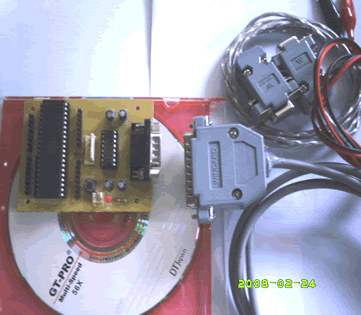
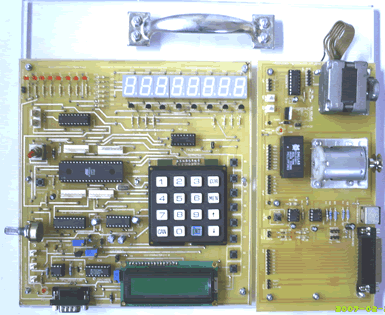
Mikrokontroller 89s51 Trainer
|
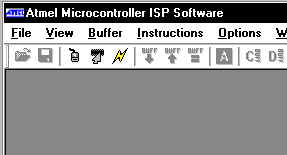
Atmel Microcontroller ISP Software The Atmel Microcontroller ISP Software is the primary means for performing in-system programming (ISP) for the Atmel devices. It provides an intuitive interface for in-system programming that can be run from your personal computer. The Atmel ISP Software has a comprehensive set of features that allows you to view, program, and erase data from an Atmel ISP device. The Atmel Microcontroller ISP Software also allows you to load hex files containing the code you want to add to the device. Using the software, you can manipulate this code, verify it against the existing code on the device, and program the code onto the device. You will notice that most of the toolbar buttons and
menu options are disabled. This is because a device has not been selected.
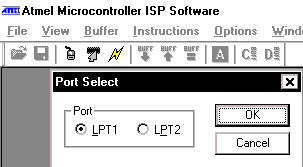
To select a device, do the following: 2. Select the LPT port that the board is connected to by selecting Select Port from the Options menu (You could also press the select port toolbar button).
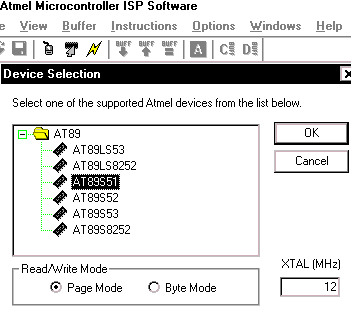
Figure 2 - Port Select Dialog 3. You can then select a device by choosing Select Device from the Options menu or by clicking on the toolbar. You should see a dialog box similar to the one in Figure 3.
4. Select the device that you are trying to program from
the tree control by clicking on the desired device. 6. Enter the external clock frequency (MHz) provided
to the device in the text box.
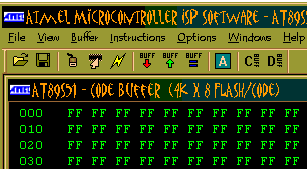
Figure 4 - Buffer Window Comments, questions and discussion about this topic
|
Programmer Lesson 1:
|
|||
    |
|||||